Find funding · add-on
Find the funders who fund work like yours.
Search grantmakers by the grants they actually made, see who funds organizations like yours, and keep an eye on open grants. Then move the ones that fit straight into your FundMesa pipeline.
Funder search
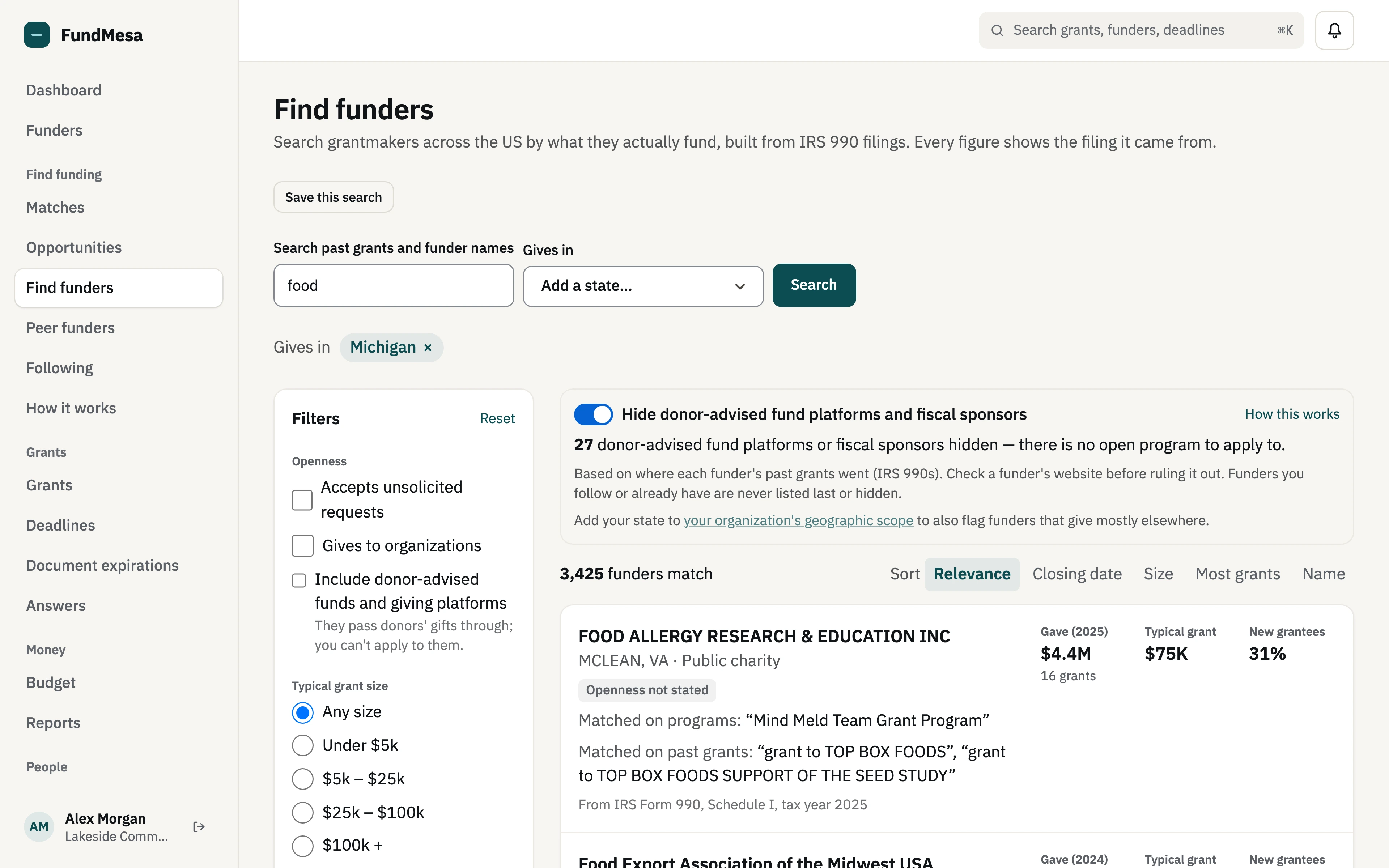
Search funders by what they actually fund.
Find funders is built from IRS 990 filings: the grants foundations and other grantmakers report paying. Search past grants and funder names by keyword, then narrow by the states a funder actually gives in (not just where it files), typical grant size, whether it accepts unsolicited requests, whether it gives to organizations, and how recently it has been active.
Every figure shows the filing it came from.
Funder profiles
Giving history, typical grant sizes, and who they fund.
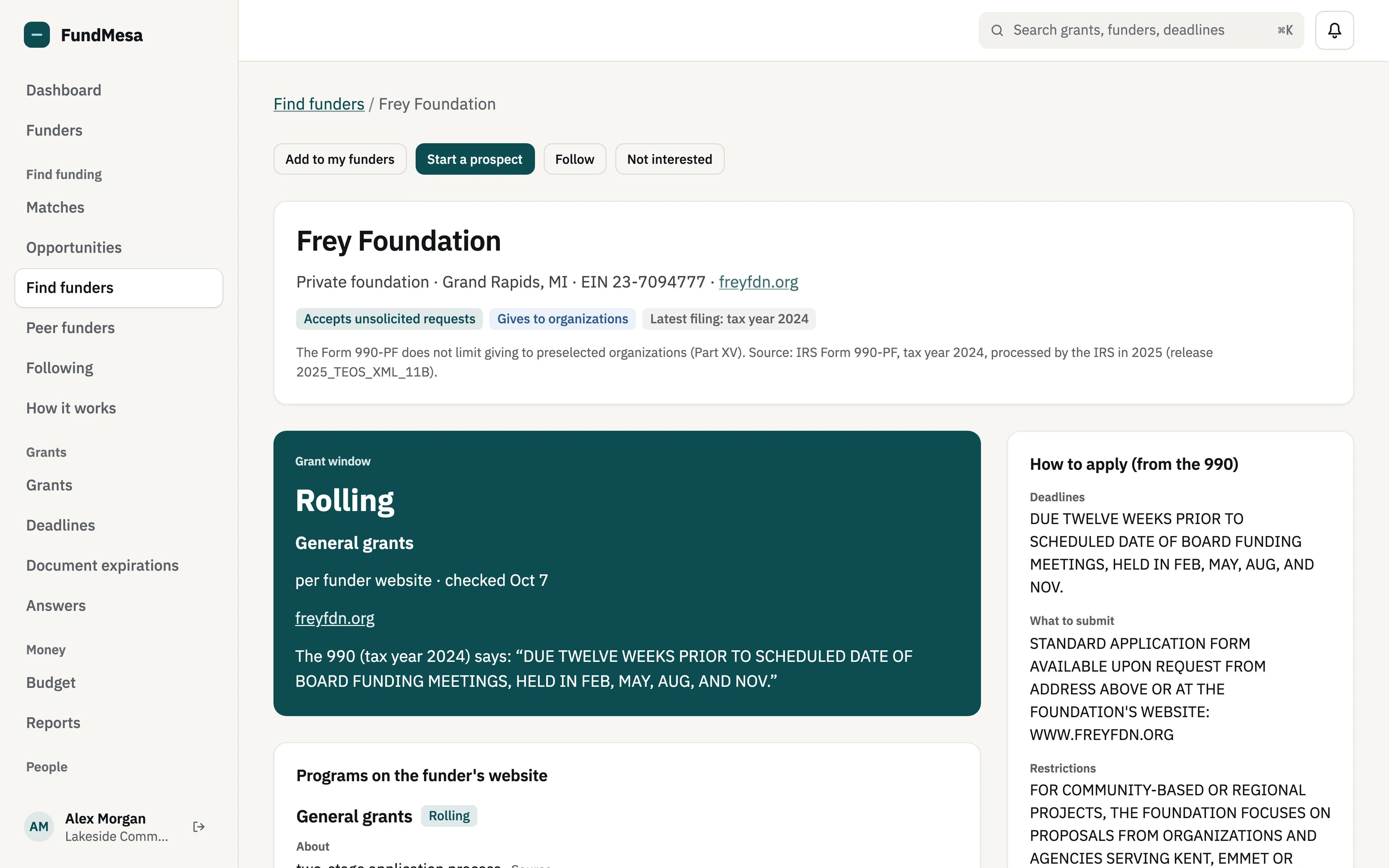
Each funder's profile shows its giving to organizations over time, its median grant and the spread of grant sizes, its largest recipients, where it gives, how many of its grantees are new, and how to apply as stated on its 990. Each block names the tax year it comes from.
Filings lag, usually by a year or two, so the profile tells you which year you are looking at. Grants to individuals, such as scholarships, are never shown by name.
Organizations like us
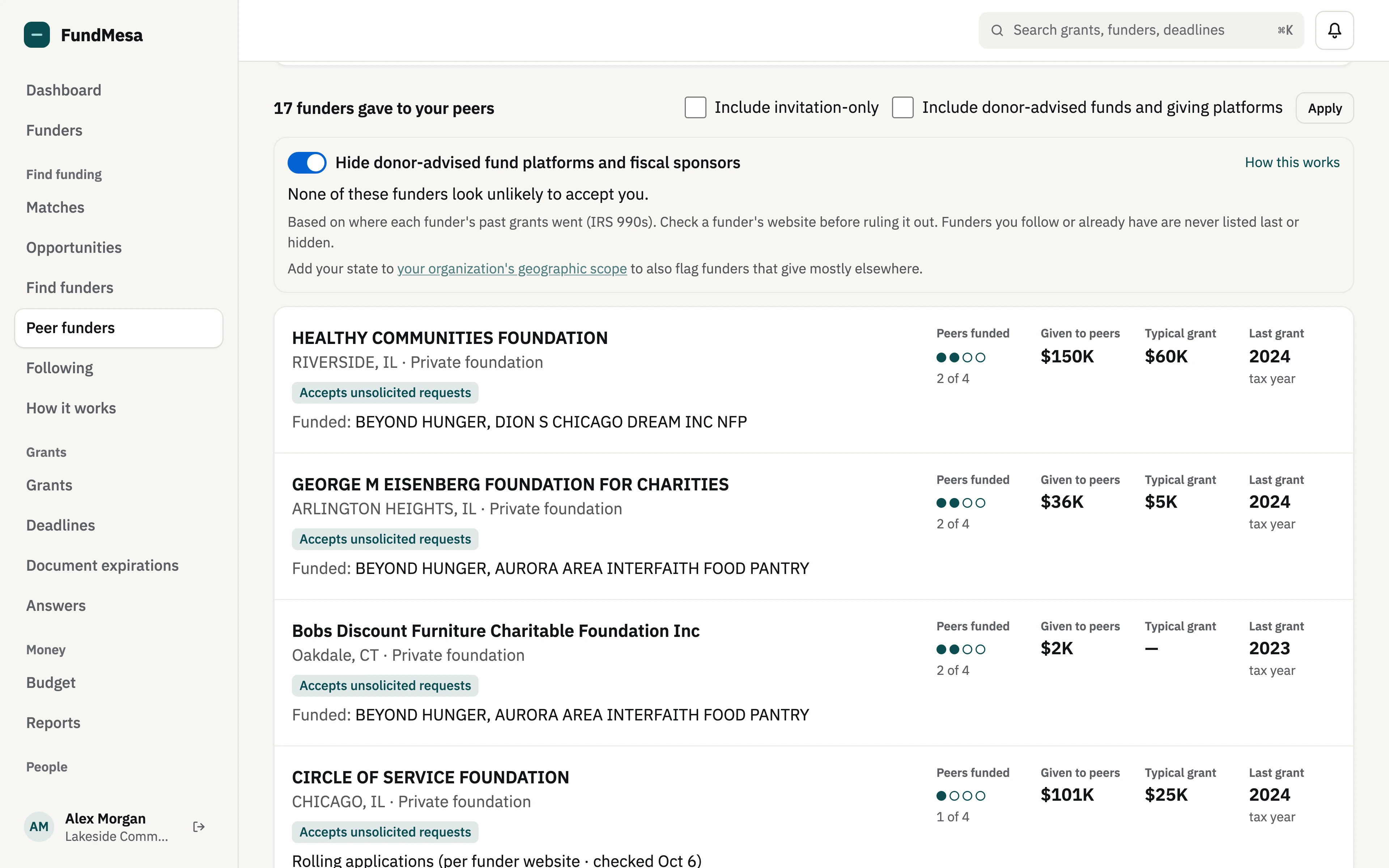
See who funds organizations like yours.
Pick up to ten nonprofits similar to yours. Peer funders lists every funder whose 990 filings show grants to them, ranked by how many of your peers each one funded, with the amount given to your peers and the funder's typical grant.
New foundations
Foundations too new to have a giving history.
A private foundation the IRS approved in the last three years usually hasn't filed a 990-PF yet, so it can't show up in a search of past grants. Find funders lists these separately: name, location, when the IRS approved it, and any assets on the IRS list. As of October 2026 there are about 10,100 of them.
They are labelled "New foundation, no giving history yet" and never ranked by giving or fit, because there is nothing to rank them on. Follow one and it turns into an ordinary funder profile once its first 990-PF is loaded.
Matches
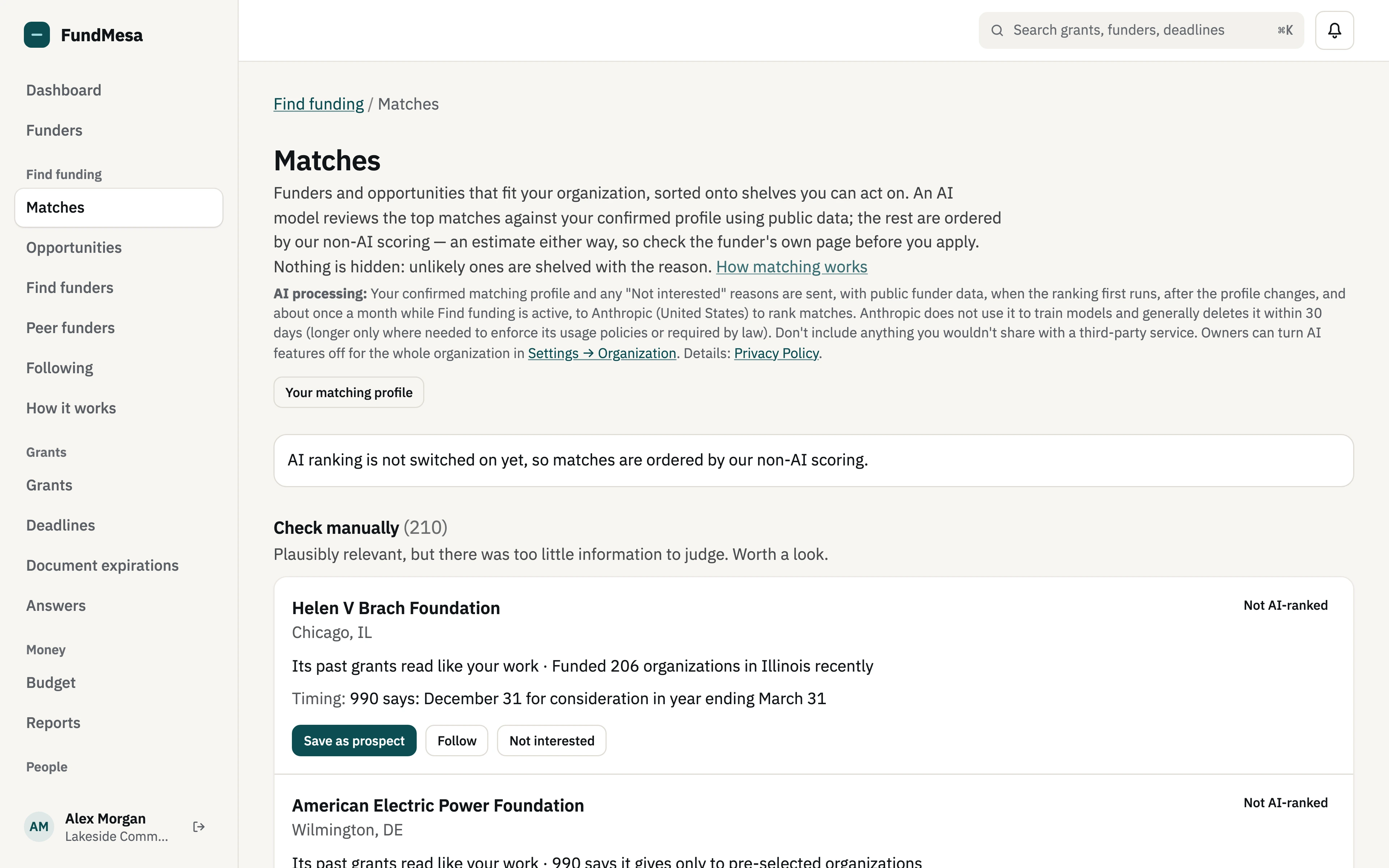
Funders ranked for your organization, with the reasons.
Matches sorts funders and opportunities that fit your organization onto five shelves: Apply now, Watch, Needs an introduction, Check manually and Unlikely. It starts from a matching profile you check and confirm; FundMesa can fill most of it from your own 990.
An AI model reviews the top matches against your confirmed profile using public data, and gives each a fit, a one-line reason and anything that stands in the way, with where that came from, so you can check it. The rest are ordered by our non-AI scoring and marked that way. Unlikely ones are shelved with the reason, never hidden. Rankings refresh monthly and after you change your profile.
It is an estimate, so check the funder's own page before you apply.
Opportunities
Open grants from Grants.gov, California and funders' own websites.
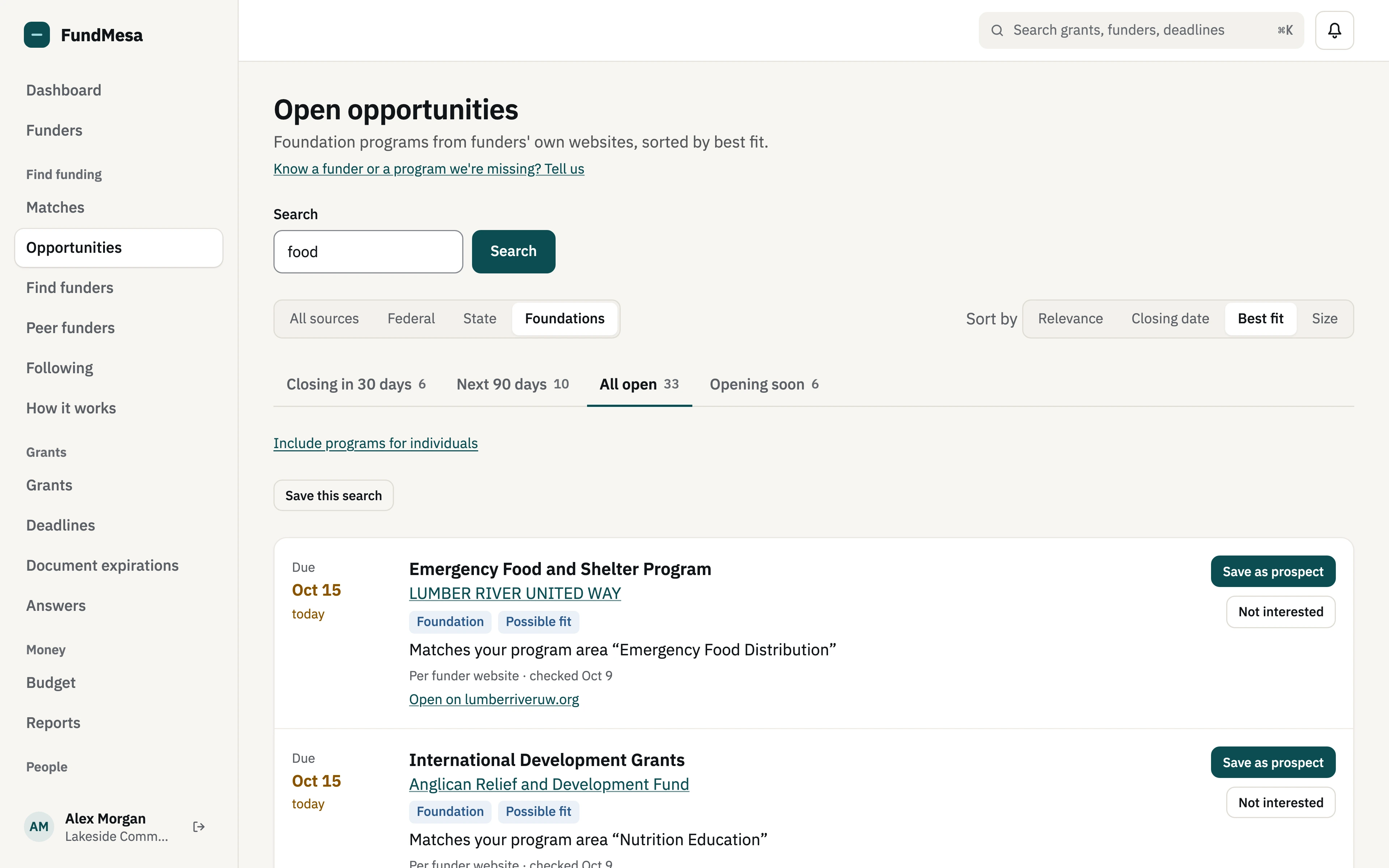
Opportunities reads federal listings live from Grants.gov, sorted by deadline, with tabs for closing in 30 days, the next 90 days, all open and opening soon. California state grants come from the California Grants Portal, for organizations whose profile names California or when you pick the State filter.
It also lists grant programs we have read from funders' own websites. Only programs we have reviewed are shown, each with the page it came from and the date we checked it.
Each federal opportunity has its own page: the timeline, award size, who can apply, the agency contact, and the funding announcement (NOFO) and its documents as direct downloads. "Read the full announcement" puts the NOFO's text on the page in sections you can jump to and copy.
Each listing carries a fit estimate against your organization profile (program areas, where you work, and the size of your usual request) with the reasons behind it. Fit is an estimate, not a verdict, and it never hides an opportunity.
Following and saved searches
Keep a short list your whole team can see.
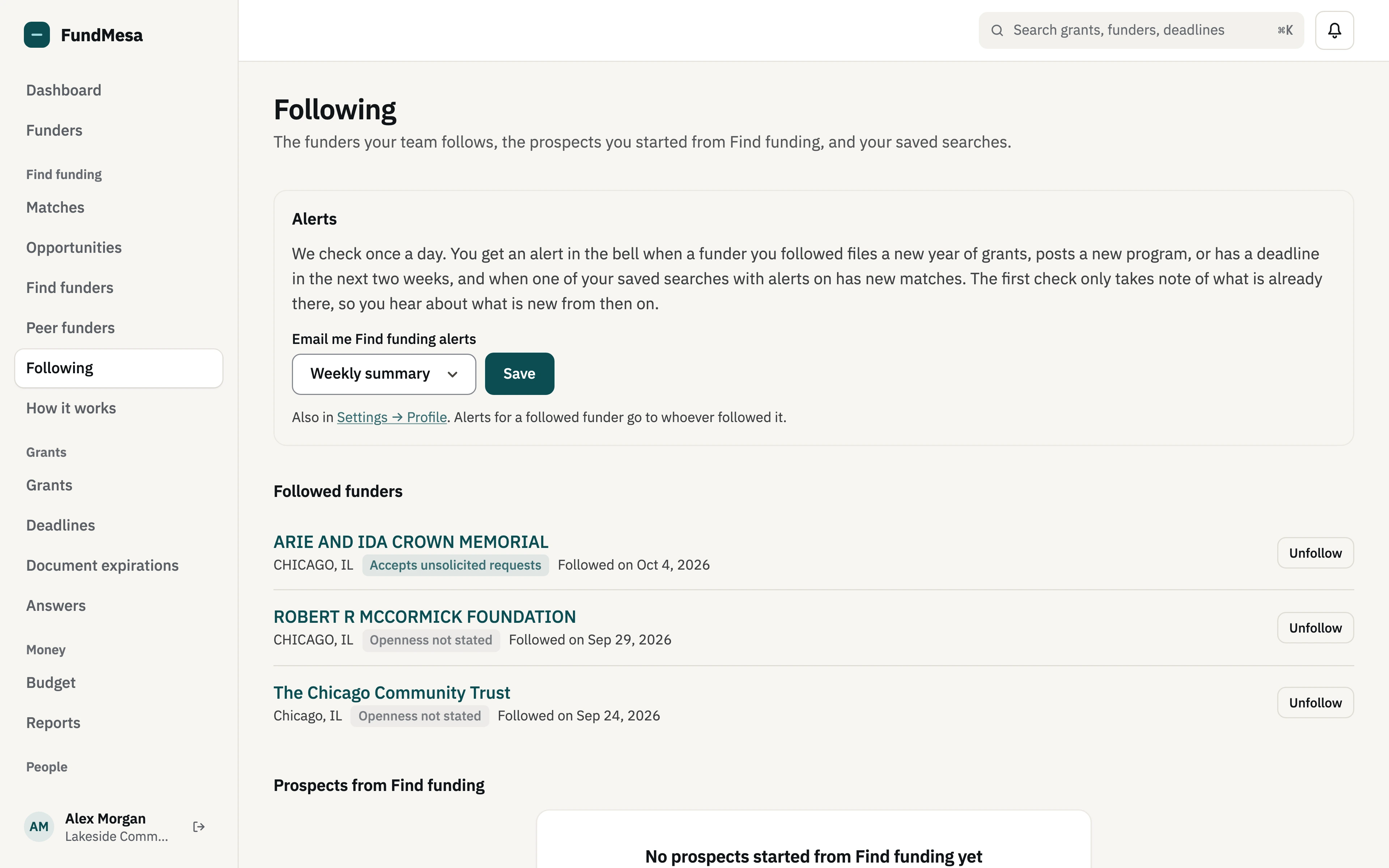
Follow funders you want to keep an eye on and save the searches you run often. Following collects the funders your team follows, the prospects you started from Find funding, and your saved searches in one place.
FundMesa alerts you in the app, with a weekly email summary (or daily, or none), when a funder you follow files a new year of grants or a saved search has new matches. Where we have read a followed funder's website, a new program or a deadline in the next two weeks is alerted too.
Save as prospect
From a lead to your pipeline in one click.
"Save as prospect" on an opportunity creates a prospect grant in your FundMesa pipeline with its deadline and a link back to the listing, so the reminders, deadlines and team workflow you already use pick it up from there. On a funder profile, "Start a prospect" does the same for the funder.
Report wrong info
Spot a mistake? Tell us.
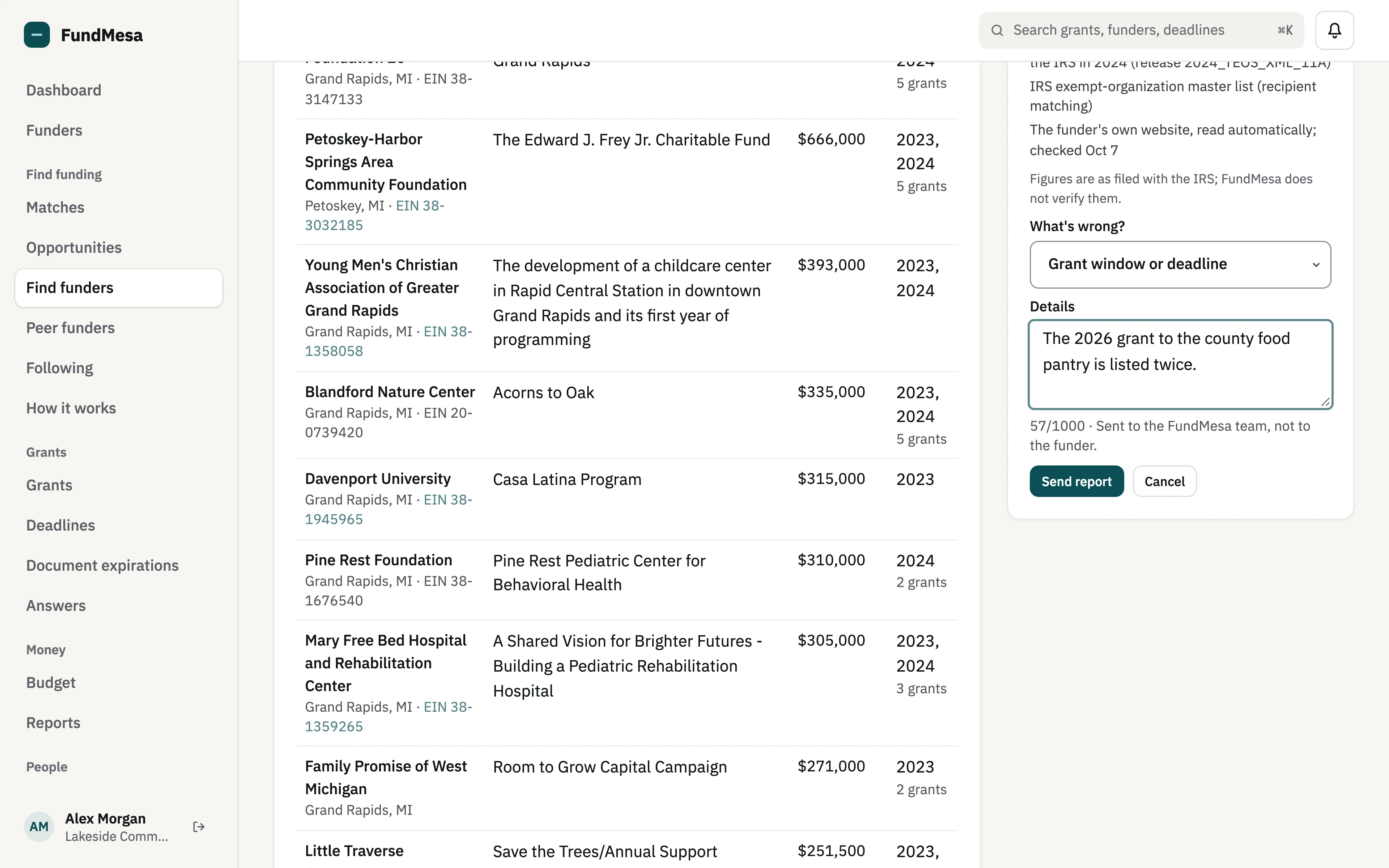
Public filings are sometimes wrong or out of date. "Report wrong info" on a funder profile sends a note to the FundMesa team for review, never to the funder, and you can see the status of your reports.
Who can do what
- Everyone in your organization can browse Find funding.
- Program staff and above can follow funders, save searches, and report wrong information.
- Coordinators and owners can add a funder to your funders, save an opportunity as a prospect, and hide what isn't a fit for the whole team.
Pricing
$49/month
on a monthly plan, or $490/year on an annual plan. An add-on to any paid FundMesa plan, billed on the same invoice and cycle as your plan, per organization, with no seat fees.
Founding price, while the offer is open: $29 a month for your first 12 months, then $49 a month. On an annual plan, $348 for your first year, then $490 a year.
Frequently asked
Where does the data come from?
IRS 990 filings for funders and the grants they paid, the IRS list of tax-exempt organizations to recognize grant recipients and to find newly approved private foundations, Grants.gov for federal opportunities, the California Grants Portal for California state grants, and grant programs read from funders' own websites (only programs we have reviewed are shown, each with the page it came from and the date we checked it). Figures are as filed with the IRS; each block on a profile names its tax year.
Will it alert me about funders I follow?
Yes. You get an in-app alert and a weekly email summary (or daily, or none; your choice in Settings) when a funder you follow files a new year of grants or one of your saved searches has new matches. If we have read the funder's website, you are also alerted to a new program or a deadline in the next two weeks.
Is the fit score AI?
The fit estimate on Opportunities is not: it is rule-based, compares an opportunity with your organization profile, and shows its reasons and gaps. Matches does use AI: an AI model (Anthropic's Claude) judges how well the top funders fit your confirmed matching profile, and shows its reason and where each point came from so you can check it. Only that profile is sent, never your grants, budgets or files, and your data isn't used to train models. If your organization turns AI features off, Matches uses our non-AI scoring instead. Neither one hides anything; always read the funder's guidelines.
Do I need a separate subscription?
No. Find funding is added to your existing FundMesa plan, on the same invoice and renewal date: $49/month on a monthly plan or $490/year on an annual plan. If you have started a plan and it is still in its 30-day trial, the add-on is free until that trial ends. (The no-card trial does not include Find funding; choose a plan first.) You can remove it any time from Settings → Subscription.
See the rest of FundMesa
Find funding feeds the grant management you already do in FundMesa: deadlines, budgets, reporting and compliance.